
How to Find Jenny in Jenny Mod | All Methods for Java & MCPE (2026)
Most players install Jenny Mod and then stare at an empty world — no Jenny, no idea why. You followed a YouTube tutorial, downloaded the file, and launched Minecraft, but she simply isn’t there.
That’s a frustrating experience that thousands of players hit every single day. This guide cuts through the confusion. Whether you play Java Edition, Bedrock, or MCPE on Android, you’ll know exactly how to find Jenny, spawn her, and fix every issue that’s stopping her from appearing.
Make sure you have Jenny. If you don’t, please download Jenny mod.
What Is Jenny in the Jenny Mod?
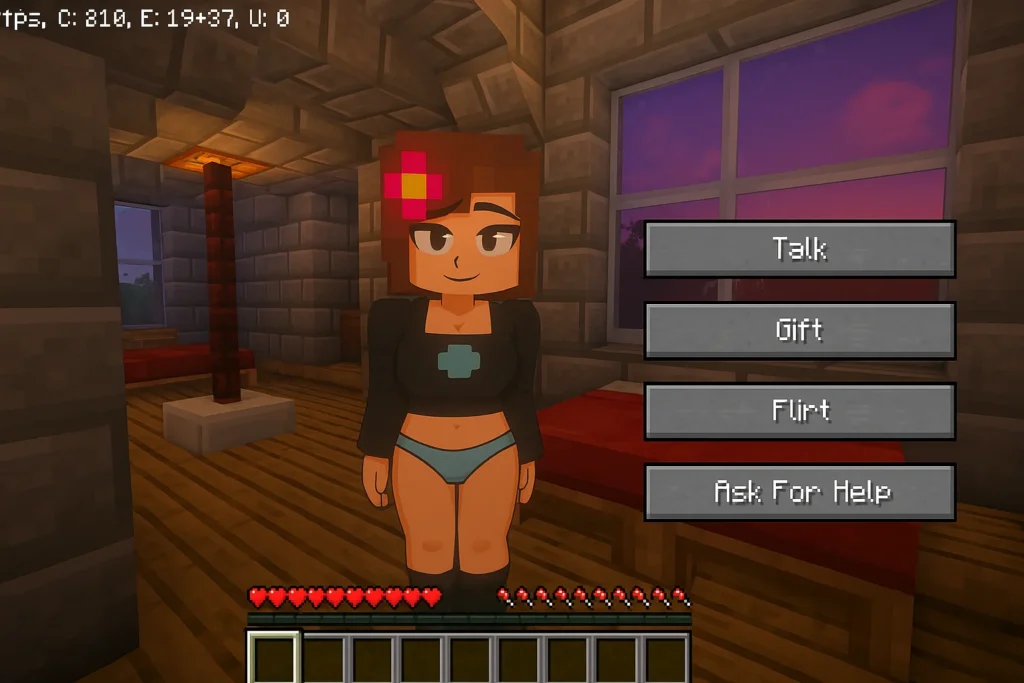
Jenny is the main companion NPC in the Jenny Mod, a fan-made Minecraft add-on originally created by a developer known as SlipperyTum (also credited as Schnurri_tv). She’s not a passive villager — she talks, follows your movements, reacts to gifts, and adapts her behavior based on how you treat her.
Unlike standard Minecraft mobs, Jenny was built with an interactive dialogue system, custom animations, and a trust mechanic that evolves over multiple play sessions. She can also assist in combat and heal herself during fights, making her more than just a cosmetic addition.
The mod runs on Minecraft Java Edition 1.12.2 using Forge, and on Bedrock/MCPE via .mcaddon packs. Each version handles Jenny’s spawning differently — which is the most common source of confusion.
Why Jenny Doesn’t Appear After Installation
Before jumping to spawn methods, understand why Jenny goes missing. Most players skip this step and keep running into the same wall.
| Root Cause | What Happens | Fix |
|---|---|---|
| Wrong Minecraft version | Mod loads but NPCs don’t spawn | Use exactly Java 1.12.2 with Forge |
| Missing Forge installation | Game launches but mod is inactive | Install Forge before the mod .jar |
| .jar file in wrong folder | No mod behavior at all | Place file inside /mods/ only |
| Conflicting mods | Jenny loads but crashes or vanishes | Test with Jenny Mod as the only mod |
| Bedrock packs not activated | World launches without the mod | Enable Behavior + Resource packs in world settings |
| Experimental gameplay off | MCPE mod won’t function | Toggle Experimental Gameplay on before creating the world |
| Survival mode on new world | Spawn egg not accessible | Switch to Creative to access all spawn items |
Run through this checklist before trying any spawning method. Skipping it means you’ll hit the same problem again after the next Minecraft update.
You can also check Minecraft’s mob spawning rules
Method 1: Let Jenny Spawn Naturally in Your World
Jenny has specific natural spawn conditions. She won’t just appear anywhere — her code targets peaceful, open environments.
Where Jenny Spawns Naturally
Villages and Plains Biomes are her primary territory. She generates near small NPC villages or across flat grassland areas where she has room to walk and react to the player.
Near Player Structures — in some mod versions, she can also generate close to buildings or flat terrain that resembles a settlement, particularly in Creative worlds.
Safe, Lit Surface Areas Only — Jenny’s spawn logic excludes the Nether, the End, caves, and any hostile or dark biome. She only appears where passive mobs would naturally feel at home.
How to Increase Your Chances of a Natural Spawn
- Start a new world in Creative or Peaceful Mode before switching to Survival
- Explore plains and village areas during in-game daytime — she’s more likely to appear between dawn and dusk
- Sleep through a night or two using a bed; this resets certain NPC spawn cycles and can trigger her appearance
- Avoid running other heavy NPC mods alongside Jenny Mod — competing entity pools reduce her spawn chances
If she still doesn’t appear after 10–15 in-game days of exploration, skip to Method 2.
Method 2: Spawn Jenny Using the Spawn Egg (Fastest Method)
The spawn egg is the most reliable and fastest way to get Jenny into any world. It bypasses all natural spawn requirements.
How to Access the Jenny Spawn Egg on Java Edition
- Open your Minecraft world with Jenny Mod active
- Switch to Creative Mode (use
/gamemode creativein chat) - Press E to open your inventory
- Type “Jenny” in the search bar — the custom spawn egg will appear
- Select it and right-click on any solid ground
- Jenny spawns instantly at that exact location
How to Access the Jenny Spawn Egg on Bedrock / MCPE
- Confirm all three mod packs (Behavior Pack, Resource Pack, and any skin pack) are imported and activated in your world settings
- Turn on Experimental Gameplay in world settings before loading the world — this is required for custom mobs
- Switch to Creative Mode
- Open your inventory and search for Jenny’s egg under the spawn eggs tab
- Place it on the ground anywhere in your world
Note for MCPE players: If the egg doesn’t appear in your inventory, the Behavior Pack isn’t properly linked to your world. Go back to world settings and re-add the pack, then restart the world.
Method 3: Summon Jenny with Commands
Commands give you the most precise control over where Jenny appears. This method works in both Java and Bedrock editions, though the exact syntax differs.
Java Edition Command
Open the chat box by pressing T or /, then type:
/summon jenny:jenny
Hit Enter. Jenny will spawn directly in front of your player position. If the command returns an error like “unknown entity,” the mod isn’t correctly installed — the jenny: entity namespace only registers when the mod loads successfully.
Bedrock / MCPE Command
Enable cheats in your world settings first, then open the chat and type:
/summon jenny
If this returns no result, double-check that your Behavior Pack is active and that Experimental Gameplay is enabled.
Command Troubleshooting
| Error Message | Meaning | Fix |
|---|---|---|
| “No entity was found” | Mod namespace not registered | Reinstall mod, confirm Forge version |
| “Unknown command” | Cheats disabled in world settings | Enable cheats before using commands |
| Jenny spawns but disappears | Conflicting mod overwriting entity | Remove other NPC/companion mods |
| Command works, no visual | Texture pack not loaded | Add Resource Pack to world settings |
Method 4: Find Other Characters in the Same Mod
Jenny Mod isn’t just about one character. Each additional NPC has unique spawn locations across different biomes. Knowing these helps you explore the mod fully.
| Character | Natural Spawn Location | Special Notes |
|---|---|---|
| Jenny | Plains biomes, near villages | Also summonable via spawn egg |
| Ellie | Darker wooded/forest biomes | Provides resources and heals the player |
| Bee Girl | Regular forests and woodland areas | Too weak for combat; carries player loot via chest |
| Slime Girl | Swamp biomes and underwater caves | Splits into smaller slimes during battles |
| Allie (Genie) | Spawned via lamp found in dungeons/desert temples | Rarest character; grants wishes and special items |
| Luna | Found aboard floating ships on ocean biomes | Russian-themed character; goes fishing near water |
| Enderwoman | End Dimension | Linked to Ender Dragon Egg; teleports and casts spells |
To access characters like Allie, you’ll need to explore structures — she doesn’t spawn naturally in the open world. Dungeons and desert temples are your best bet.
Platform-Specific Differences You Need to Know
The mod behaves differently across platforms, and most guides don’t explain this clearly enough.
Java Edition (PC)
- Uses a single .jar file placed in the
/mods/folder - Requires Minecraft Forge 1.12.2 — no other Forge version is compatible
- All characters spawn naturally and through spawn eggs
- Commands use the
jenny:jennynamespace format - Full animations and all interactions are available
- Minecraft Forge 1.12.2 installer
Bedrock Edition (PC/Console)
- Uses three separate packs: Behavior Pack, Resource Pack, and skin/texture pack
- Must be imported in the correct order through Minecraft’s pack manager
- Experimental Gameplay must be enabled before world creation
- Some characters may need spawn eggs rather than natural spawning
IF you want you can download Jenny Mod for Bedrock and MCPE
MCPE (Android Mobile)
- Uses a
.mcaddonfile, which auto-imports into Minecraft when tapped - Works on MCPE version 1.17 and above
- iOS support is limited and may require additional tools
- Spawn mechanics mirror Bedrock with the same experimental gameplay requirement
What to Do After You Find Jenny
Finding Jenny is just the start. Most players don’t know that the mod includes a trust and relationship progression system that unlocks additional interactions over time.
Building Your Relationship with Jenny
Talk to her regularly — right-click (or tap on mobile) to open her dialogue menu. Your responses shape how she reacts to you in future interactions. She remembers your choices.
Give her gifts — diamonds, emeralds, and rare items increase her affection toward you. The higher her trust level, the more unique animations and responses she unlocks.
Don’t ignore her — if you stop interacting for long periods, her behavioral responses may reset or become less engaged.
Jenny’s Abilities You Can Use
- Combat support — Jenny fights alongside you against hostile mobs
- Self-healing — she heals during battle so you don’t need to manage her health
- Teleportation — similar to an Enderman, she can teleport to stay close to you
- Follow commands — you can tell her to follow you, stay in place, or explore independently
Common Installation Mistakes That Block Jenny from Spawning
These are the specific errors that create 90% of the “Jenny won’t appear” reports.
Installing on the wrong Minecraft version — Jenny Mod for Java only works on version 1.12.2. Installing Forge for 1.16, 1.18, or 1.20 and adding the mod .jar will not work. The mod won’t load at all.
Skipping the Forge installation step — Forge is the mod loader. Without it, Minecraft has no mechanism to read the .jar file. Always install Forge first, launch the game once to generate the profile, then add the mod.
Placing the .jar in the wrong folder — the mod file belongs in %appdata%\.minecraft\mods\. Placing it in the main .minecraft folder or anywhere else means Forge never detects it.
Not backing up your world first — if a conflicting mod causes a crash, it can corrupt your world file. Always duplicate your save folder before adding any new mod.
Downloading from unverified sources — some third-party sites distribute outdated or modified versions that have broken spawn logic. Only download from sources you can verify are current and unmodified.
FAQ: How to Find Jenny in Jenny Mod
Does Jenny spawn automatically when I install the mod?
Not immediately. She spawns naturally in plains or village biomes, but it may take several in-game days. Using the spawn egg in Creative Mode is faster and more reliable.
Why does my /summon jenny:jenny command fail?
The command only works when the mod is correctly installed and Forge has loaded the jenny entity namespace. If it fails, reinstall the mod and confirm you’re on Forge 1.12.2.
Can I have multiple Jennys in the same world?
Yes. Using the spawn egg multiple times creates multiple instances, each behaving independently.
Does Jenny Mod work on Minecraft 1.20 or newer?
No. The Java Edition version of Jenny Mod is built specifically for Minecraft 1.12.2. It doesn’t run on newer versions without a full community port, which doesn’t officially exist.
Jenny spawned but immediately disappeared — why?
A conflicting mod is likely overwriting her entity or despawning her. Test with Jenny Mod as the only active mod to confirm it’s a conflict.
Is Jenny Mod available on iOS?
Officially, no. It supports Android (MCPE 1.17+) and Java/Bedrock on PC. iOS installation requires third-party tools and is not officially supported.
How do I get Allie, the genie character?
Allie doesn’t spawn naturally. Find her lamp inside dungeons or desert temples, then use it to summon her. She’s the rarest character in the mod.
Does the mod affect my existing Minecraft world?
Jenny Mod adds new entities and items but doesn’t alter existing terrain, structures, or vanilla Minecraft behavior. Your existing world stays intact.
For full character details, spawn locations for every NPC, and the complete interactive system breakdown, explore the other guides on StudySeller.com.
External Sources:
- Minecraft Forge official documentation (files.minecraftforge.net)
- Minecraft Wiki — NPC and spawn mechanics (minecraft.wiki)
- Minecraft Bedrock Edition release notes — experimental gameplay documentation (feedback.minecraft.net)